


Ask an LED vendor one question — “what pixel pitch do I need?” — and you’ll find out fast whether they’re selling you the right screen or just the one with the biggest margin. Pixel pitch is the spec that decides how sharp your display looks, how close people can stand before it turns grainy, and how much you’ll pay per square metre. Get it wrong in either direction and you feel it: pay for a P1.5 screen in a hall where nobody gets within 10 metres, and you’ve wasted lakhs on detail no one will ever see. Install a P10 panel in a boardroom, and every video call looks like it’s being watched through a screen door.
This guide covers what pixel pitch actually is, where it’s confused with resolution and PPI, and how to land on the right number for your space — a boardroom in Gurugram, a retail storefront in Mumbai, or a billboard on the outskirts of Noida. By the end you’ll know enough to ask a vendor the right follow-up question instead of just nodding along.
What Is Pixel Pitch?
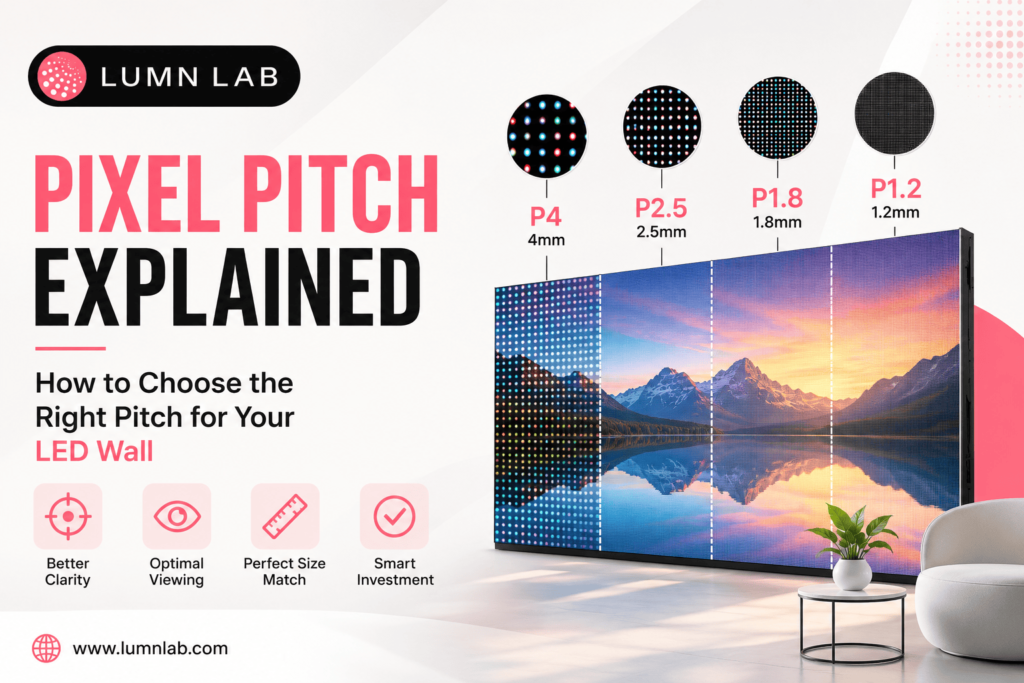
Pixel pitch is the distance, in millimetres, between the centre of one LED pixel and the centre of the next one on the panel. It’s written as “P” followed by a number: P1.9, P4, P10.
Smaller number, smaller gap, sharper image up close. That’s the whole rule.
- P1.9 — 1.9mm between pixels. Fine enough for control rooms and displays people stand right in front of.
- P10 — 10mm between pixels. Built for billboards and screens nobody’s viewing from three metres away.
Pixel pitch also sets pixel density — how many LEDs are packed into a given area. Tighter pitch, more LEDs per square metre, crisper video even when someone’s standing a metre from the panel.
Pixel Pitch vs Resolution: What’s the Real Difference?
This is the mix-up that trips up almost every first-time buyer, so it’s worth getting straight early.
Pixel pitch is a physical measurement — the spacing between LEDs. Resolution is the total pixel count (width × height), and it depends on both the pitch and the physical size of the screen.
Here’s where it gets confusing: two screens can show identical resolution — say, 1920×1080 — while looking completely different up close. A 3-metre-wide screen and a 10-metre-wide screen can both hit that resolution, but the smaller one will look sharper, because its pixels are packed tighter into less space.
| Factor | Pixel Pitch | Resolution |
|---|---|---|
| What it measures | Distance between LED centres (mm) | Total pixel count (width × height) |
| Depends on | Panel/module design | Pixel pitch + physical screen size |
| Controls | Image sharpness at a given distance | Total detail the screen can display |
| Buyer takeaway | Determines minimum viewing distance | Determines content clarity for a fixed screen size |
Pixel pitch tells you how close people can stand. Resolution tells you how much detail shows up once they’re there.
Also Read: Digital Display System: Complete 2026 Guide
Pixel Pitch vs PPI: Are They the Same Thing?
Related, not identical. PPI (pixels per inch) comes from the phone-and-monitor world — it measures how many pixels fit into one inch.
Pitch and PPI move in opposite directions: shrink the pitch, PPI goes up. LED manufacturers talk in millimetre pitch because it maps directly to module design and manufacturing tolerance. Consumer electronics talk in PPI because that’s what fits a spec sheet for a 6-inch phone screen. If a vendor hands you a PPI number instead of a pitch, you can still compare it — convert using the panel’s physical size and total pixel count — but ask them to just quote pitch. It’s the industry standard for a reason.
Pixel Pitch vs Pixel Size: Not the Same Number
Pitch is the distance between the centres of two adjacent pixels. Pixel size is the width of one individual LED pixel. A pixel is always smaller than the pitch, because there’s a dark gap of non-emitting surface between each one and its neighbour. Some vendors use “pitch” and “size” loosely in conversation — when you’re comparing quotes, ask exactly which figure is in the spec sheet.
How to Choose the Right Pixel Pitch for Your LED Wall
The one factor that matters more than any other: minimum viewing distance — how close your audience will actually stand.
A rule of thumb used across the industry:
Minimum viewing distance (metres) ≈ pixel pitch (mm) × 1 to 3
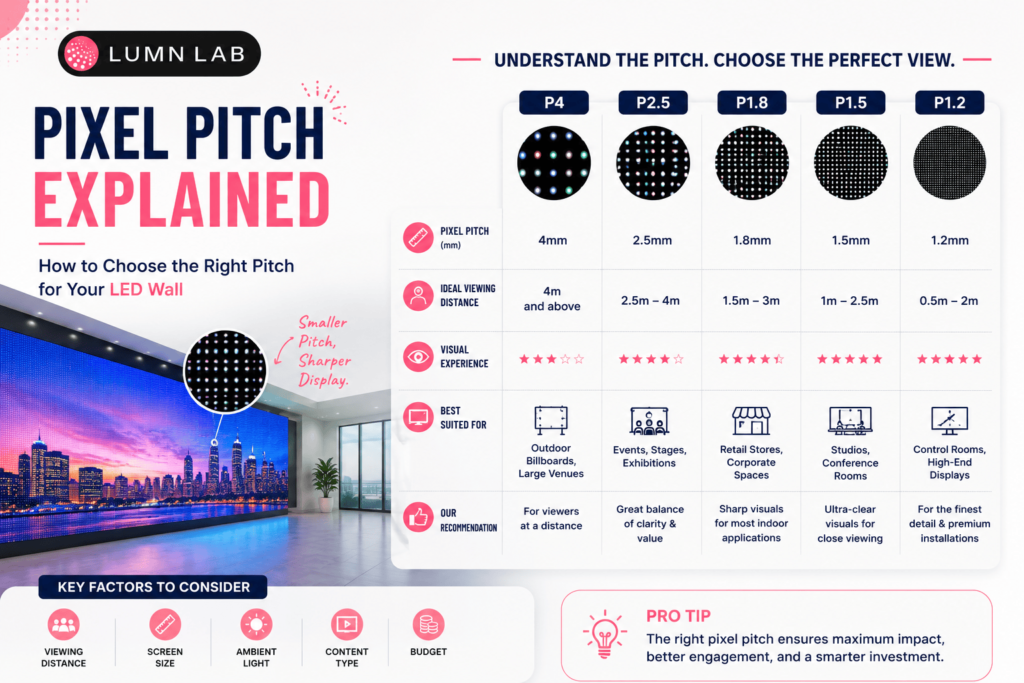
A P4 screen holds up from roughly 4–12 metres. A P1.9 screen still looks clean at 2–6 metres. Get closer than that minimum and individual pixels start showing — the image stops looking like video and starts looking like a grid of dots.
Quick Selection Guide by Use Case
- Control rooms, broadcast studios, corporate lobbies (viewers within 1–3m): P1.2–P1.9
- Retail displays, conference rooms, indoor stages (viewers 2–6m): P2.5–P4
- Auditoriums, large indoor events, exhibition halls (viewers 5–15m): P4–P6
- Outdoor billboards, stadium screens, highway signage (viewers 15m+): P8–P10 or coarser
Indoor vs Outdoor: Different Priorities
Indoor displays usually justify a finer pitch — people stand closer, and controlled lighting means fine detail actually registers instead of getting washed out. Outdoor installs typically run coarser, not because sharpness stops mattering, but because viewing distances stretch out and the panel has other jobs to do: survive monsoon humidity, push enough brightness to fight direct sun, and hold up to years of outdoor exposure. Very fine pitches outdoors exist, but they cost significantly more and aren’t usually worth it unless viewers genuinely get close.
Budget and Content Type
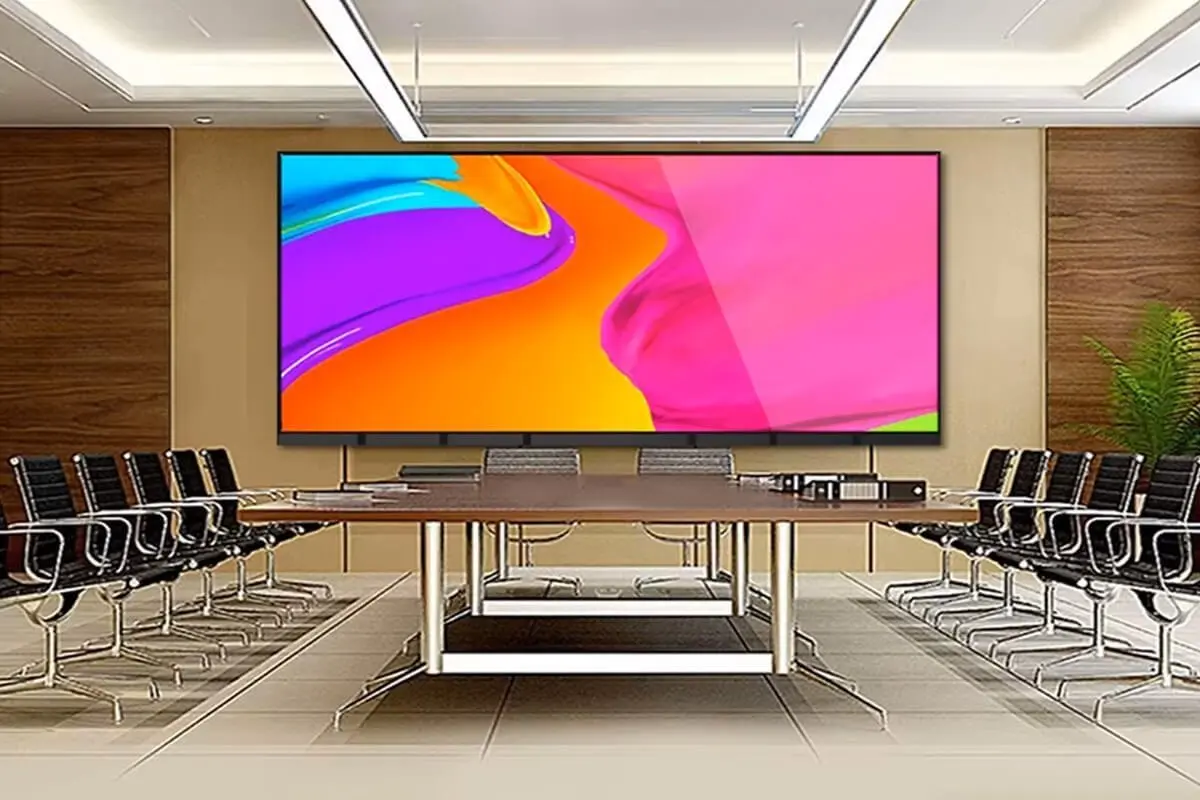
Finer pitch costs more per square metre — more LEDs, tighter manufacturing tolerance, more driver ICs packed into the same panel. If your content is wide-shot video or static branding for a large room, a moderate pitch holds up fine and keeps the quote sane. If you’re running detailed text, dashboards, or anything viewed up close, spend the extra on a finer pitch — a pixelated boardroom screen makes the whole room look cheaper than it is.
Not sure which pitch fits your space?
Lumn Lab’s team will work it out from your room dimensions, expected viewing distance, and budget.
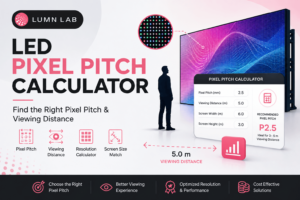
Using a Pixel Pitch Calculator
The formula above works fine on paper, but real rooms rarely cooperate — L-shaped retail floors, raked auditoriums, seating that’s closer on one side than the other. A pixel pitch calculator takes your actual viewing distance and screen dimensions and gives you a recommended pitch range without the manual math. Lumn Lab’s calculator tools are built around exactly these irregular, real-world layouts that show up constantly in Indian commercial and event spaces.
Why Pixel Pitch Decisions Look Different Across India
Delhi, Noida, Gurugram, Mumbai, Bengaluru — LED wall installs have picked up fast across corporate offices, retail flagships, wedding venues, and outdoor ad sites in all of them. But “indoor LED wall” covers wildly different jobs. A Gurugram boardroom fitting out a video-conferencing display and a Delhi banquet hall installing a wedding stage backdrop might land in the same budget bracket, but they need different pitches — one has viewers three feet away staring at a spreadsheet, the other has a room full of guests thirty feet back. Pitch selection has to start from the room, not the price list.
Conclusion
Pixel pitch decides three things: how close people can stand, how much resolution actually matters at that distance, and what the screen costs. Match the pitch to your real viewing distance, don’t confuse it with resolution or PPI, and factor in indoor vs outdoor conditions before you sign a quote — that’s the whole decision.
Lumn Lab has been manufacturing and installing indoor, outdoor, and rental LED displays across India since 2015, and the pitch recommendation we give is based on your room, not on what’s sitting in stock.
If you’re planning an LED wall and want a straight answer on pixel pitch, screen size, and viewing distance, talk to Lumn Lab’s display specialists today.
Frequently Asked Questions
Q1. What is a good pixel pitch for an LED wall?
It depends on viewing distance. For close-range indoor viewing (under 3m), choose P1.2–P1.9, for general indoor use (3–6m), P2.5–P4 works well and for large outdoor displays viewed from 15m or more, P8–P10 is typical.
Q2. What does P2, P4, P10 mean in LED screens?
The number after “P” is the pixel pitch in millimetres — the distance between the centres of two adjacent LED pixels. P2 means 2mm spacing, P4 means 4mm, and P10 means 10mm. Smaller numbers mean sharper images at close range.
Q3. Is pixel pitch the same as resolution?
No. Pixel pitch is the physical spacing between LEDs, while resolution is the total pixel count of the display. Resolution depends on both pixel pitch and the physical size of the screen.
Q4. How do I calculate the ideal viewing distance for a pixel pitch?
A common rule of thumb is: minimum viewing distance in metres ≈ pixel pitch in mm × 1 to 3. For example, a P4 screen is best viewed from roughly 4 to 12 metres away.
Q5. Does a smaller pixel pitch always mean a better screen?
Not necessarily. A smaller pixel pitch means sharper resolution at close range, but it also costs more and isn’t necessary if your audience views the screen from a distance. The “best” pitch is the one that matches your actual viewing distance and content type.
Q6. What’s the difference between pixel pitch and PPI?
Pixel pitch measures the physical distance between LED centres in millimetres, while PPI (pixels per inch) measures pixel density per inch. They describe similar concepts using different industry conventions — LED manufacturers use pitch, while consumer displays typically use PPI.
Q7. Which pixel pitch is best for outdoor LED billboards?
Outdoor billboards are usually viewed from a distance, so P8–P10 (or coarser) is common, balancing brightness, durability, and cost against the longer viewing range.
Q8. Can I use a pixel pitch calculator to choose the right screen?
Yes. A pixel pitch calculator takes your expected viewing distance and screen dimensions as input and recommends a suitable pitch range, removing the guesswork from manual formula calculations.
Keep Reading